
Burning Bridges AI Video Examples: What Our Tests Show
Inspect Burning Bridges AI video examples from our Wan and Pruna recordings, including actual file dimensions, gesture limitations and photo choices.
Last updated: 2026-10-17
The most useful Burning Bridges AI video examples show the input photo as well as the complete result. Look for a recognizable face throughout the clip, a cup that stays in the hand, and a searching gesture that actually shades the eyes. A good opening frame alone cannot establish those things.
These notes cover our recorded Wan 2.7 Video Edit and Pruna P-Video Replace samples. They are individual observations from fictional adult portraits, not a population success-rate study or a ranking of generators. The homepage labels outside videos as third-party references; they are useful for exploring the trend but do not demonstrate this tool's output.
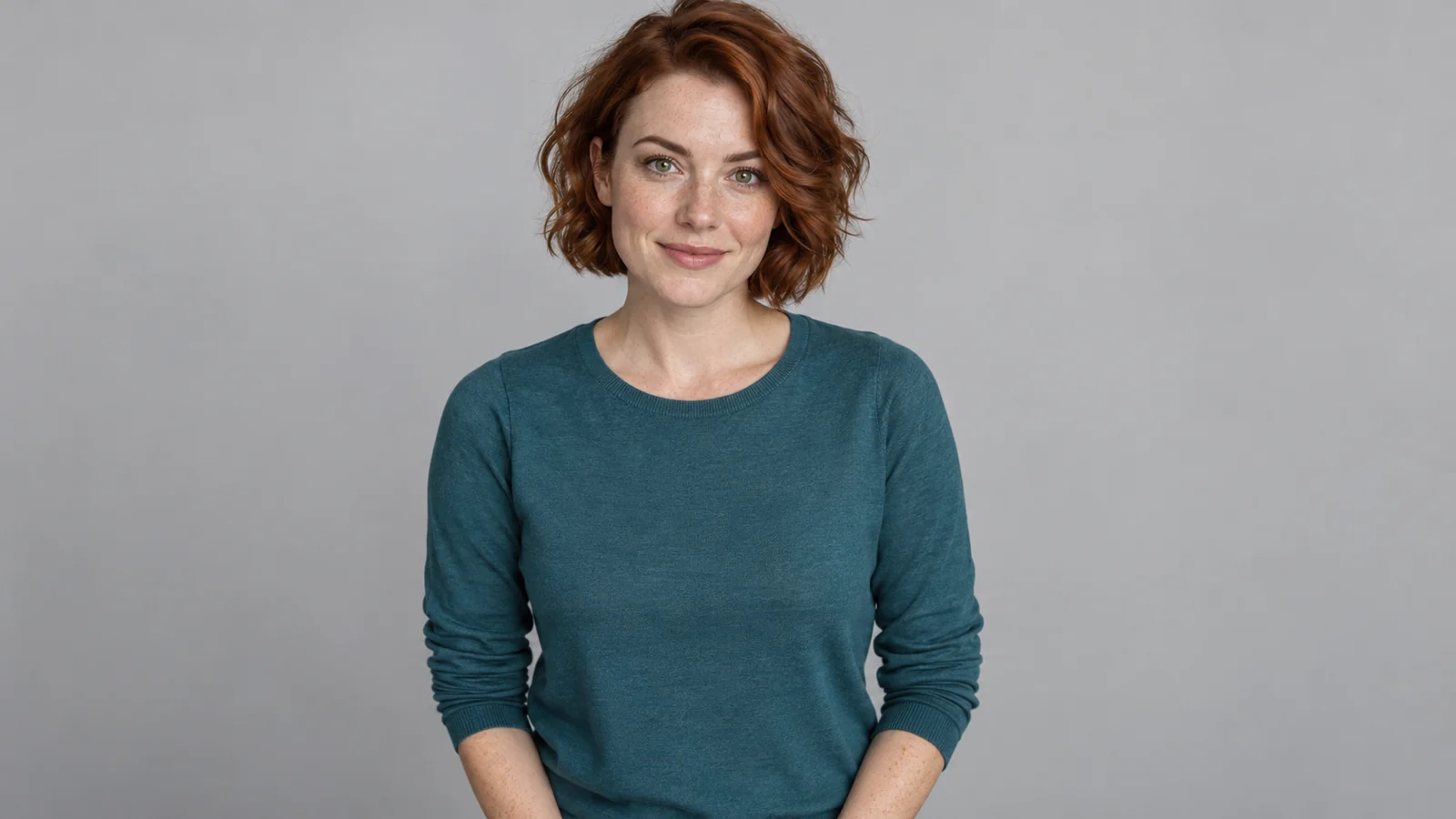
Inspect the input behind these Burning Bridges AI video examples
This fictional adult portrait supplied the face, hairstyle and teal clothing for the landscape recordings. It is not a customer photo.
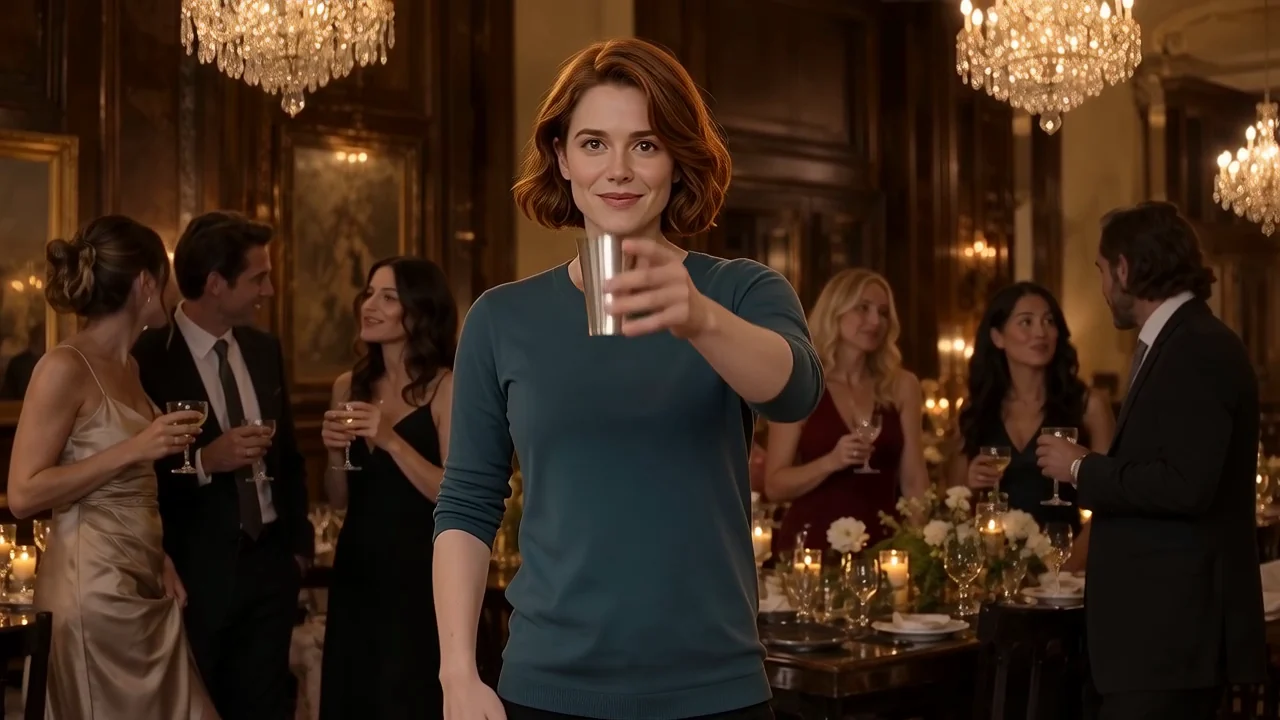
Our original landscape recipe's recorded Wan result is 10 seconds at 1280 × 720. The lead's identity and the wave, cup toast and searching sequence were accepted in that recording's manual review. It shows one outcome from that version, not a guarantee that another photograph will preserve every feature or movement. The recording is silent and contains no licensed song.
What the Pruna experiment did differently
The Pruna experiment used a fictional portrait and the original party reference. The saved output was 10 seconds at 1408 × 768, with no audio track. That was outside the strict 1280 × 720 delivery requirement used for that test.
The face, hairstyle and teal clothing remained broadly recognizable, and waving and holding the cup were visible. During the searching moment, however, the hand moved nearer the top of the head instead of reliably forming the intended horizontal shade over the eyes. That is a meaningful mismatch for a three-gesture recipe.
Watch the historical Pruna recording and the original reference on the homepage. This was a one-sample experiment. It does not establish that Pruna is generally worse, nor that a cheaper provider will produce an acceptable replacement for the active recipe.
| Recorded sample | Actual file | What the record supports | Limitation |
|---|---|---|---|
| Original Wan landscape recipe | 10 seconds, 1280 × 720, silent | A completed input-to-result example with accepted identity and three gestures | One fictional adult; no measured success rate |
| Pruna experiment, October 16, 2026 | 10 seconds, 1408 × 768, no audio track | Provider connection, saved playback and a recognizable replacement lead | Wrong delivery dimensions and an imprecise searching gesture |
The two landscape recordings were not a repeated controlled benchmark. Different runs and recipe handling limit direct comparison, so this table records outcomes rather than assigning model scores. The measurements and observations come from our retained sample files and generation records, reviewed October 17, 2026.
A recorded portrait result from the new format
Our October 17 portrait test used this fictional adult in a burgundy top and the separately reframed banquet reference. This is a new generated output, not a crop of the teal portrait result.
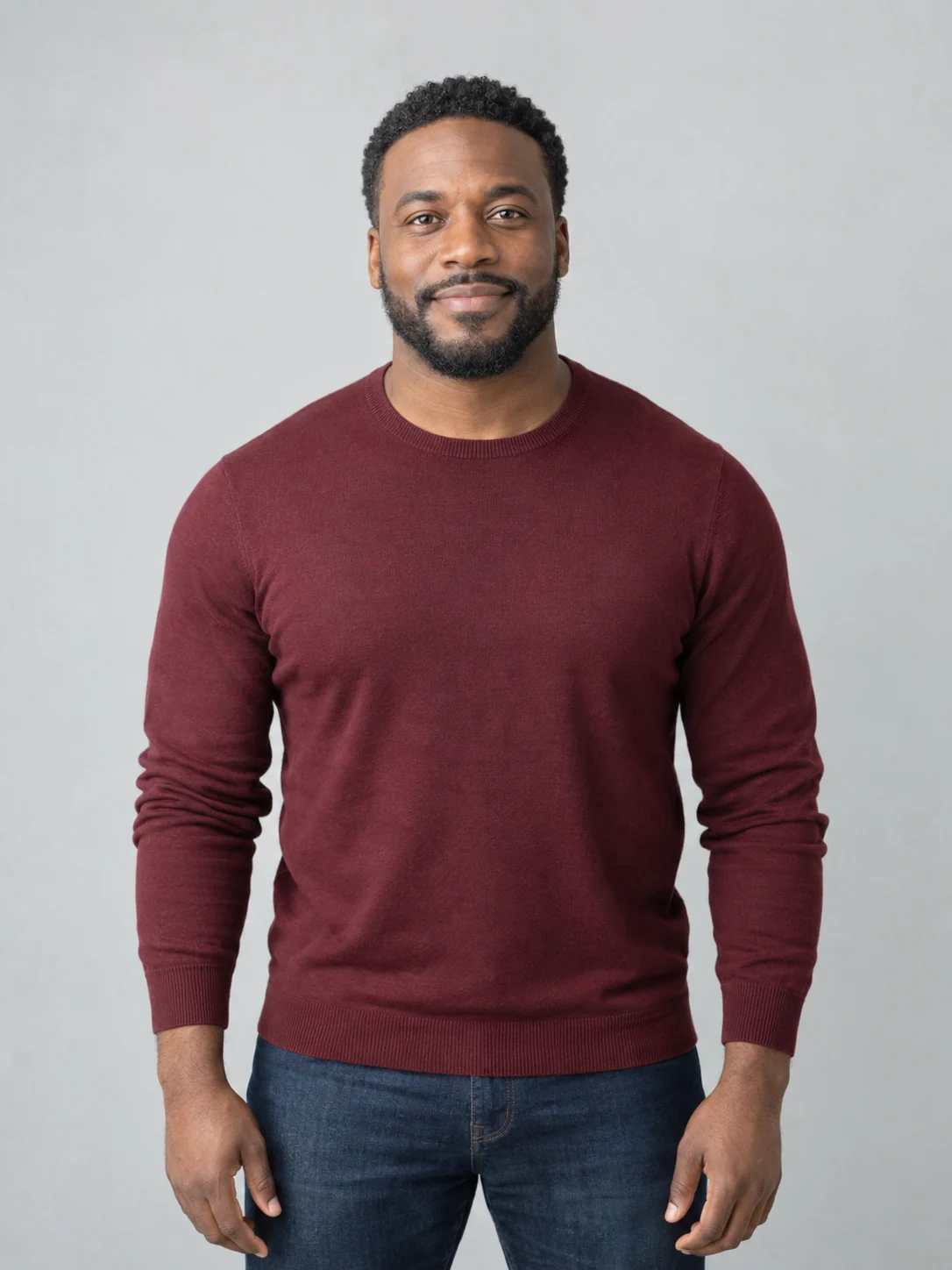
The downloaded MP4 is 720 × 1280, 10 seconds and 30 fps. Manual frame review found a recognizable face, hairstyle and burgundy clothing, followed by a wave, a raised cup and a hand shading the eyes while the head turns. The composition preserves soft background bands above and below the performance; it is not a full-height close-up. These are observations from this one output, not a promise of identical hands, clothing or motion on another photo.
The supplier reports 833 seconds for this run and $1.328 in supplier charges. That charge is the provider cost, not the customer price. One run cannot establish an average wait or a success rate. The original file contains an effectively silent AAC track: its measured mean and maximum levels were -91 dB; no song is included.
Why the tool edits an original reference video
The reference supplies the chandelier banquet, background guests, camera view and gesture timing. Your photo supplies the replacement lead. This narrows the task to one prepared performance, so you do not have to write a prompt or find a motion clip.
Reference editing still has failure modes. A hand crossing the face can disturb identity, fingers can merge around the cup, and a model can reinterpret a gesture. Inspect the whole video at ordinary playback speed, then pause around the toast and eye-shading moments. Reject a result you cannot comfortably share instead of judging it from the poster.
Our reference is an original party performance. It is not the official music video, and the downloadable clip does not include Drake's song. Add only audio you are permitted to use in your posting app.
Choose a photo that makes the comparison useful
Use one consenting adult with a clear, uncovered face. Even lighting, a front-facing view and a visible upper body make the intended face and clothing easier for you to judge against the result. Avoid group shots, sunglasses, masks, heavy blur and hands covering the face. These are practical input recommendations, not photo categories with measured pass rates.
In the generator, choose landscape or portrait before submitting. The formats use separate prepared references; changing the player size would not create a genuinely different output. Check the sample label for its actual format and model. A landscape sample does not prove a portrait result, and an outside video does not prove either.
Check the terms before another take
Preparing a photo and playing Burning Bridges AI video examples do not start a paid generation. A new submitted take uses one video from your pack; payment by itself does not generate a result. Check the current packs and purchase availability before buying.
A confirmed technical failure returns the generation. A quality concern needs review and is different from a cash refund. Keep the task ID, describe the face or gesture problem and use account support; the refund policy explains the separate payment process.
There is no measured average waiting time or five-photo success rate in this report. Follow a saved task when it is still processing instead of submitting duplicates. If the particular format, soundtrack or gesture accuracy you need is not demonstrated, inspect the current homepage examples before paying, or follow the photo-to-video walkthrough to review the steps.